Enroll Today! Free Tuition! Apply Before Scholarships Run Out!
*Unique Ability Friendly | The Family Empowerment Scholarship Is Available (FES)
Ignite Performing Arts Academy | +1 813-618-3555 USA
Resources Careers Portal Login (My Ignite)


Florida Homeschool Scholarships
ONLY 3 STEPS
(1) Apply for the PEP Scholarship "Select FL Home School." (2) Complete the Form & Schedule a meeting with the Principal (3) Accept or Deny Scholarship by May 31, 2026.
Personalized Education Program (PEP) Scholarship
A step-by-step guide for parents applying for PEP scholarships in Florida
IMPORTANT UPDATE:
2026-2027 PEP scholarship applications will open on February 1, 2026.
Applications are open. Apply Today!
The Personalized Education Program (PEP) is a Florida state scholarship that gives families direct access to their child’s education funds. These funds allow parents to customize their child's learning experience, choosing the best resources, curriculum, and educational environment—including Prenda microschools. Prenda works with Step Up for Students (SUFS), the scholarship funding organization (SFO) that manages PEP funds. This guide will walk you through the application process, funding details, and how to use PEP funds for your child’s Prenda microschool experience.
In this guide, we’ll walk you through:
-
How to apply for the PEP scholarship
-
Funding timelines, amounts, and distribution
-
How to enroll in a Prenda microschool and use your PEP funds
Applying for PEP funds is a 3-step process:
-
Step 1: Create an Education Market Assistant (EMA) account
-
Step 2: Add your students in the EMA portal
-
Step 3: Apply for the PEP scholarship
Step 1: Create an EMA Account
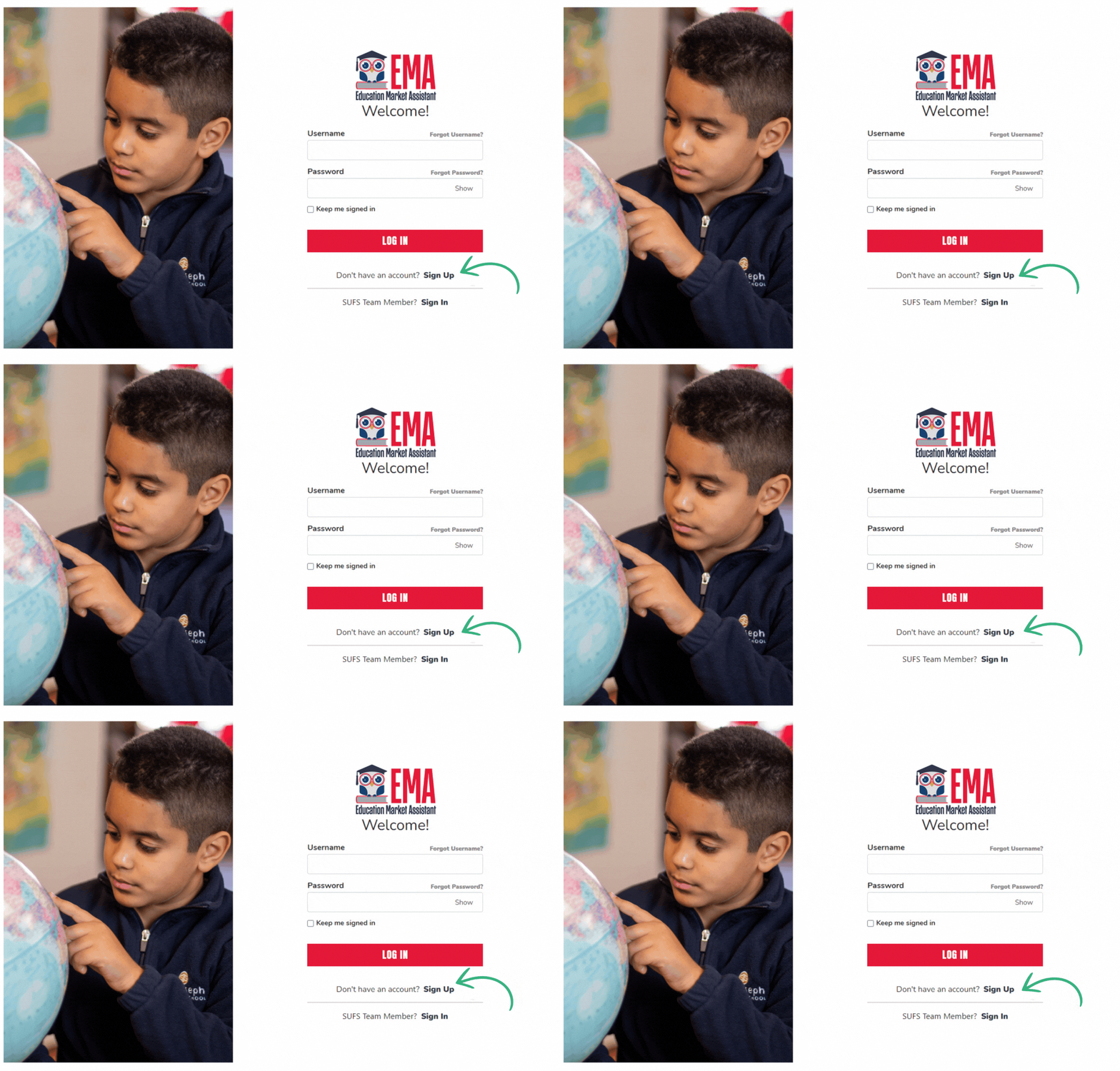
To apply for PEP, you'll first need to create an account in the Education Market Assistant (EMA). 🔗 Create your EMA account here
-
Click “Sign Up” and follow the prompts to verify your identity and set up security questions.
-
The primary guardian should be the account holder.
Step 2: Add Your Student(s) in EMA
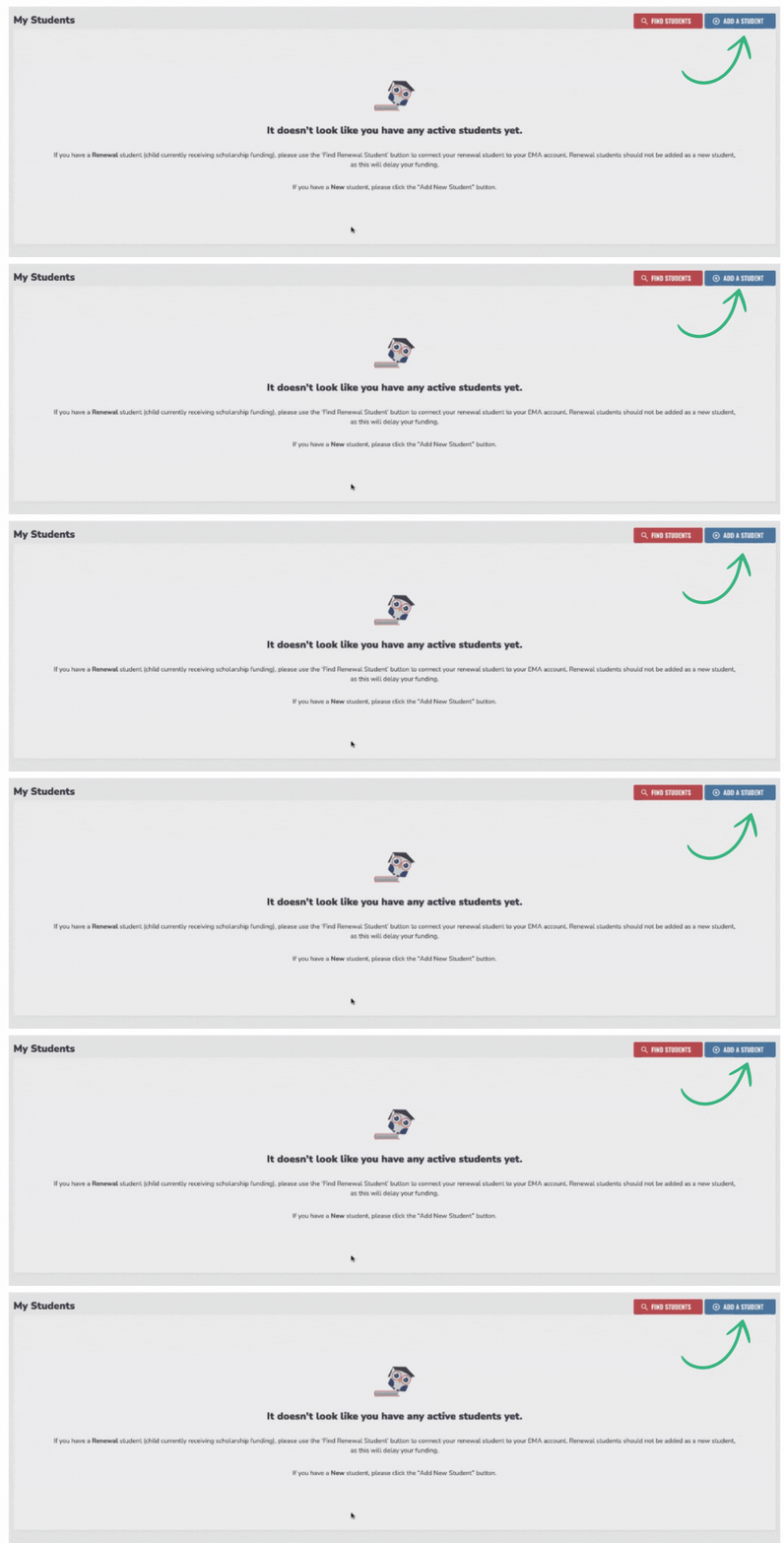
Before you apply for the PEP scholarship, ALL eligible students must be added to your EMA account.
How to add a student:
1️⃣ Click “Add Student” on your EMA dashboard.
2️⃣ Enter your child’s name, birthdate, and other required details.
3️⃣ Repeat this process for each PEP-eligible child in your household.
💡 Note: The Student FIELD number is optional and will not affect your application processing time.
Step 3: Apply for the PEP Scholarship
Once all students are added, you can submit your PEP application.
How to apply:
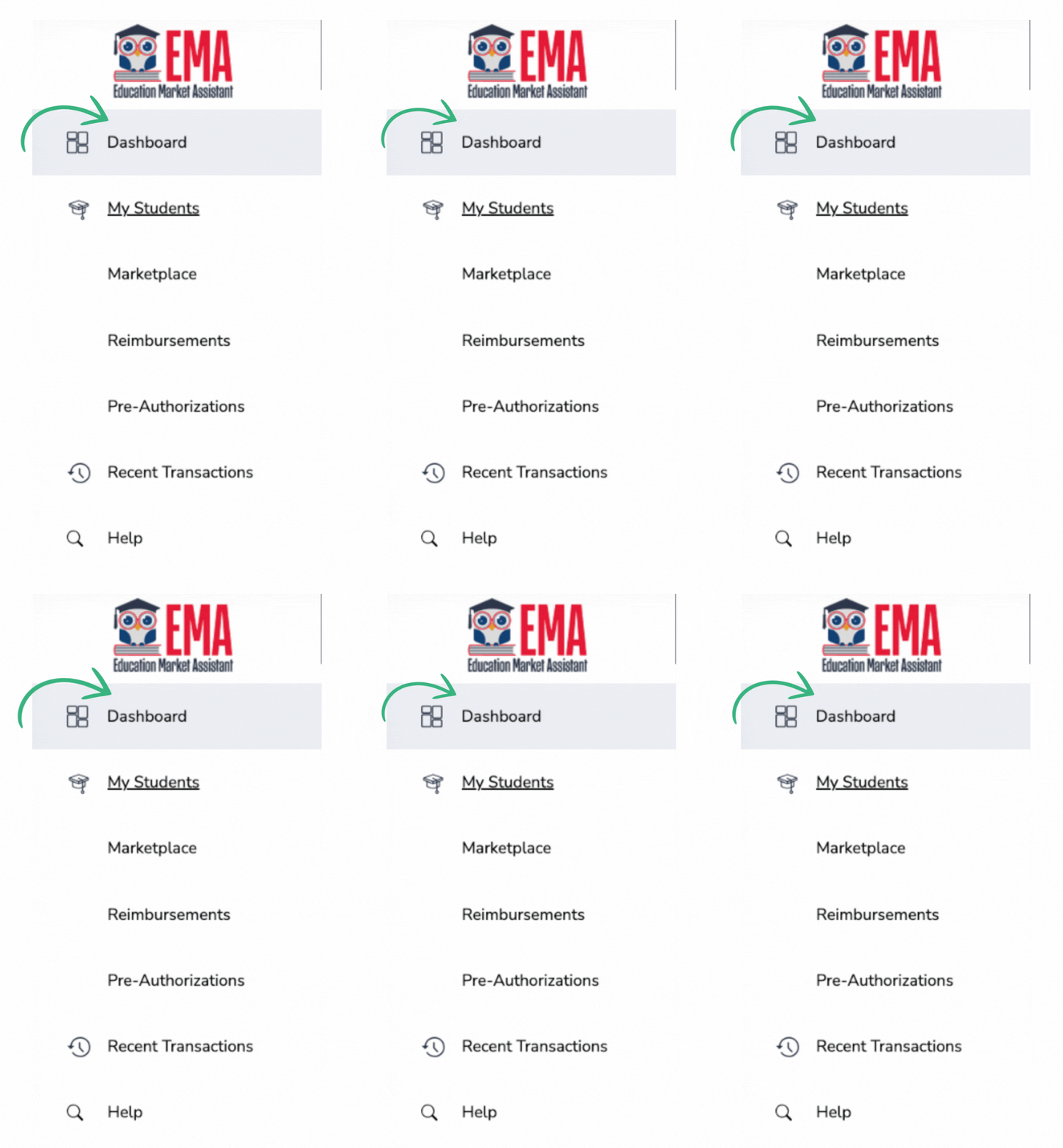
1️⃣ From the left-hand menu, go to your Dashboard.
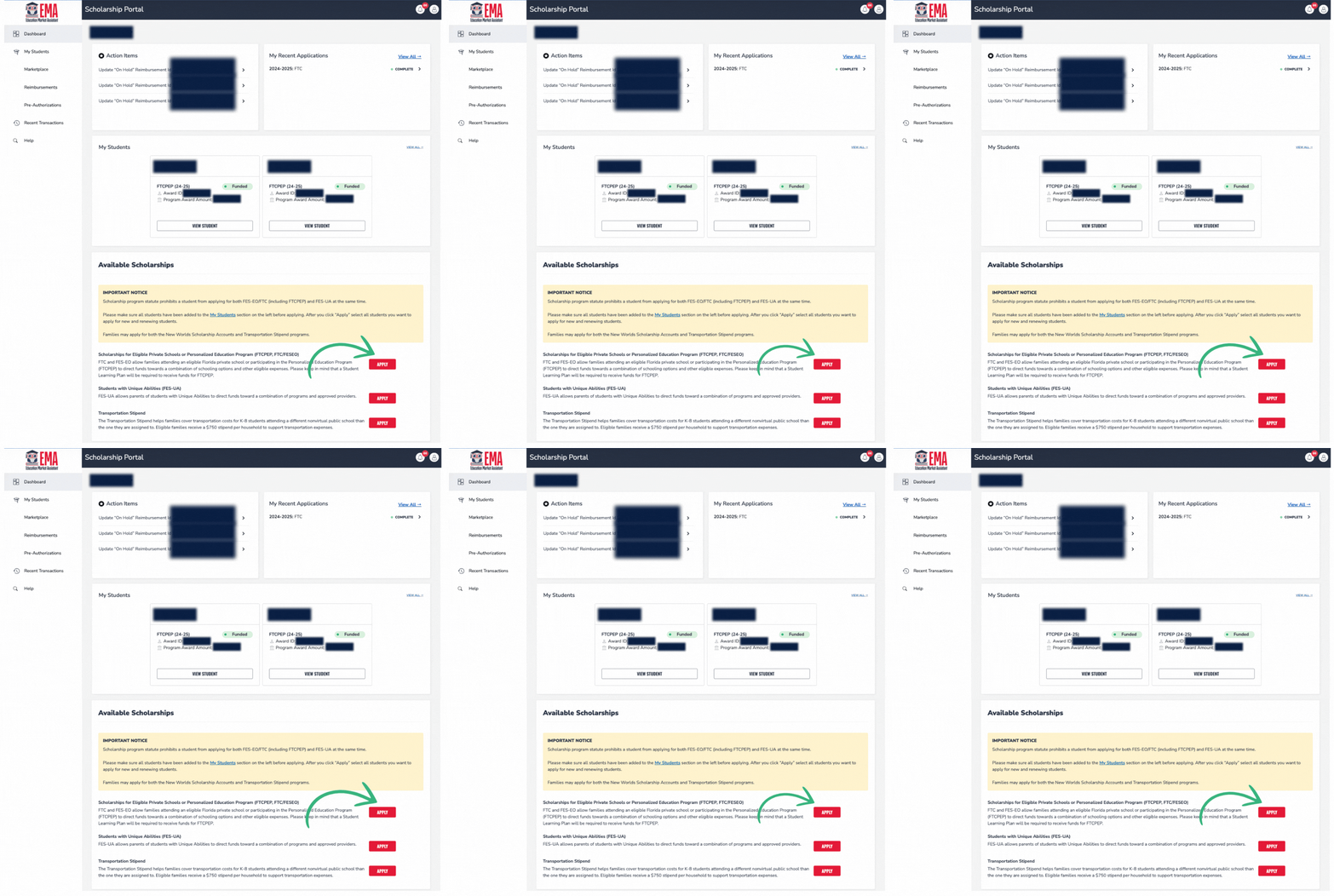
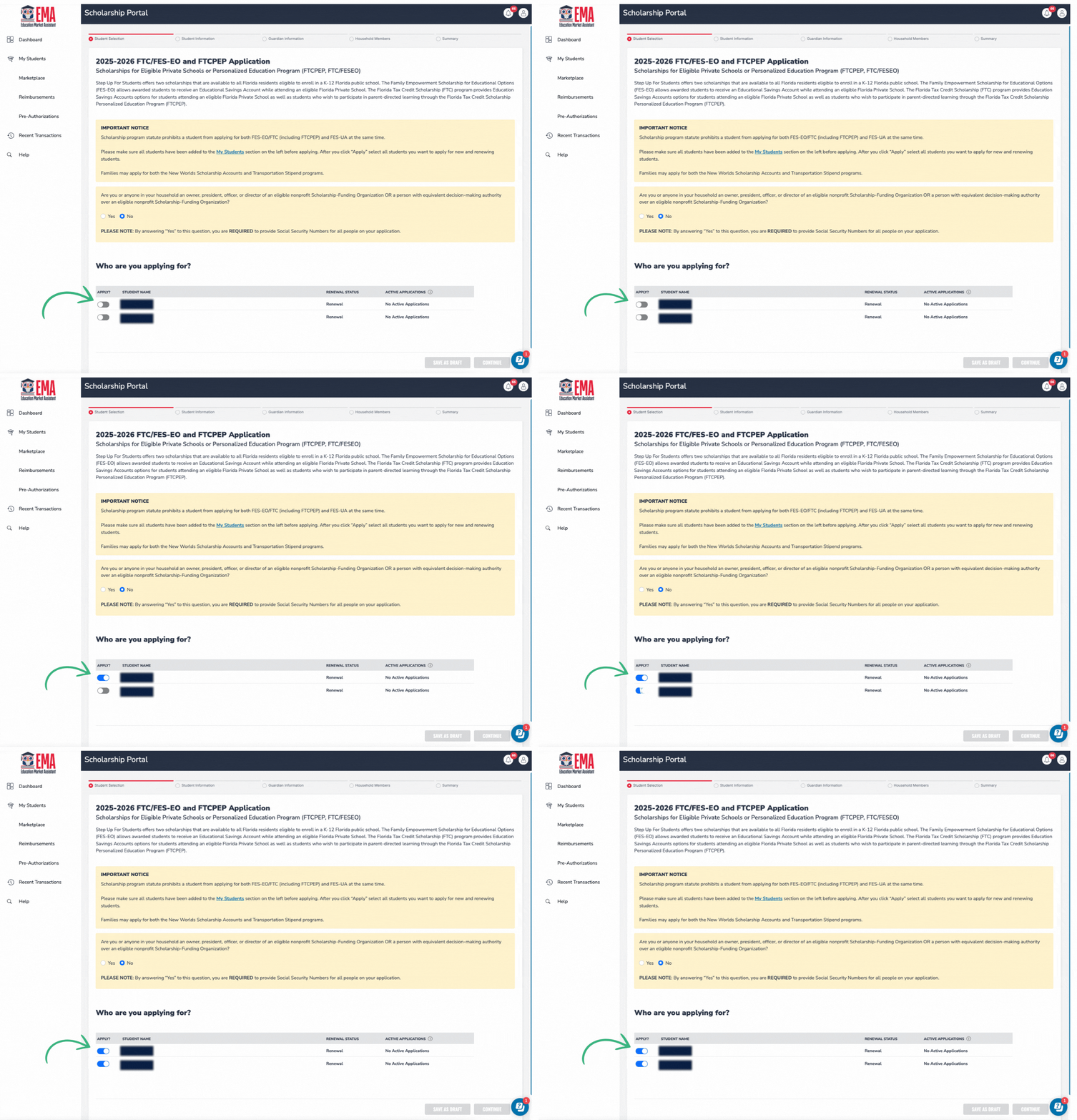
2️⃣ Scroll down to “Scholarships for Eligible Private Schools or Personalized Education Program” and click “Apply”.
3️⃣ Select the student(s) you’re applying for by turning on the blue toggle next to their name.
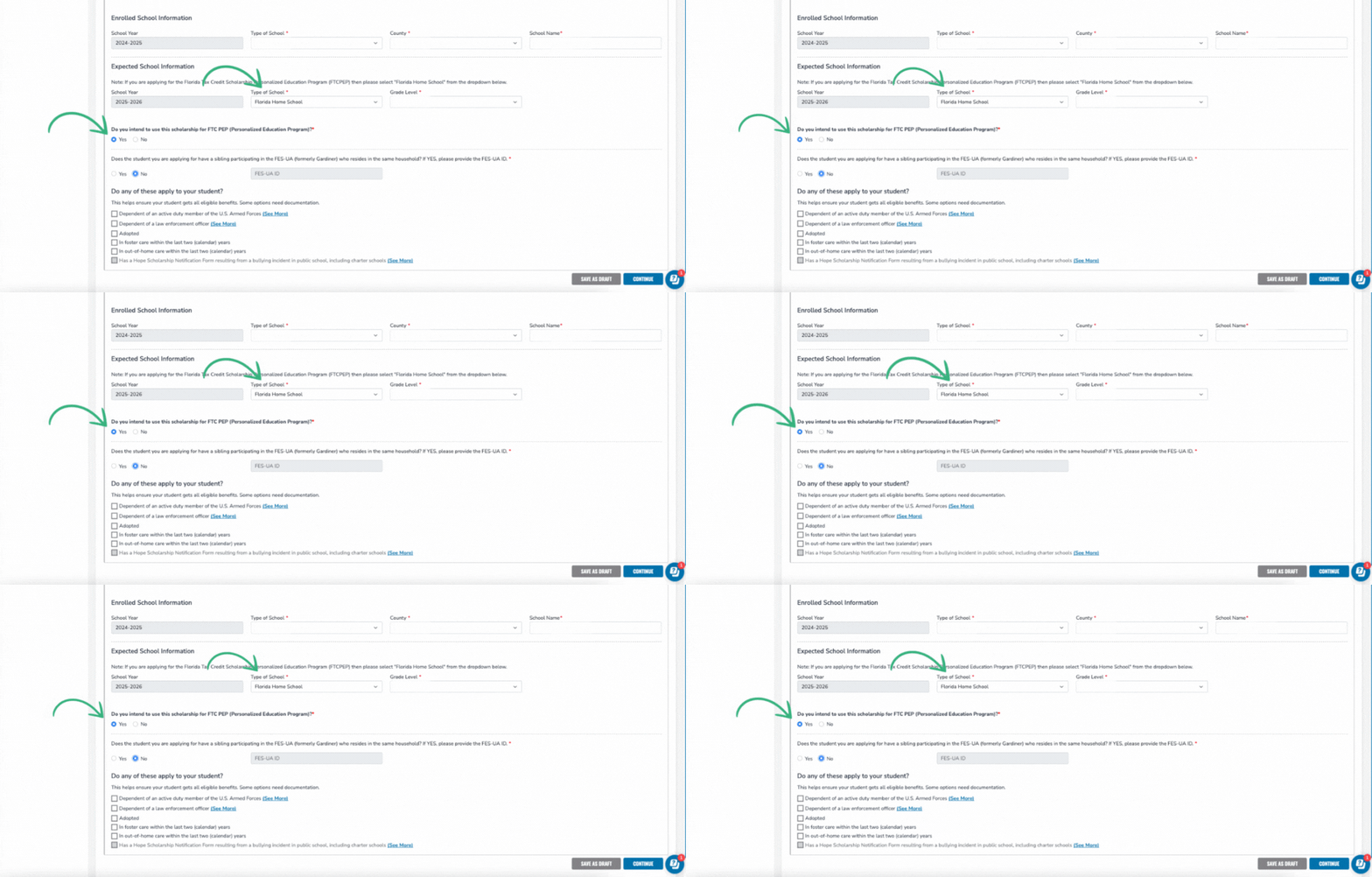
4️⃣ Enter student details under “Student Information.”


5️⃣ Guardian Information & Income Verification
-
Income verification is optional. Only opt in if your income is below 400% of the federal poverty level, as this may give your application priority processing.
-
If opting in, you must upload proof of income (such as tax documents).
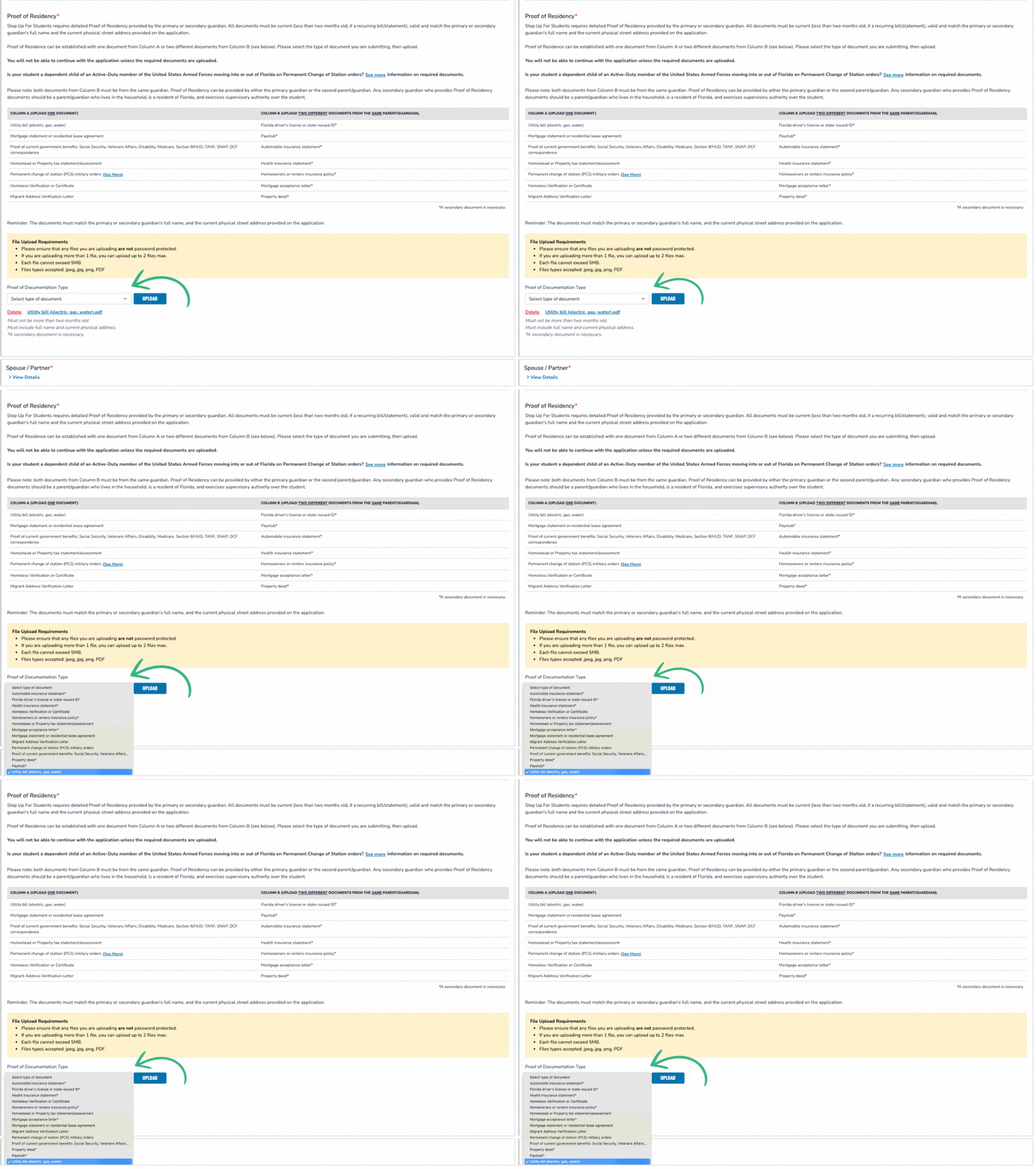
6️⃣ Proof of Residency: Required for all applicants
-
Upload two documents that are less than 2 months old
-
Must be submitted by the primary or secondary guardian
-
Must show the guardian’s full name & address 🔗 Additional details about proof of residency documentation
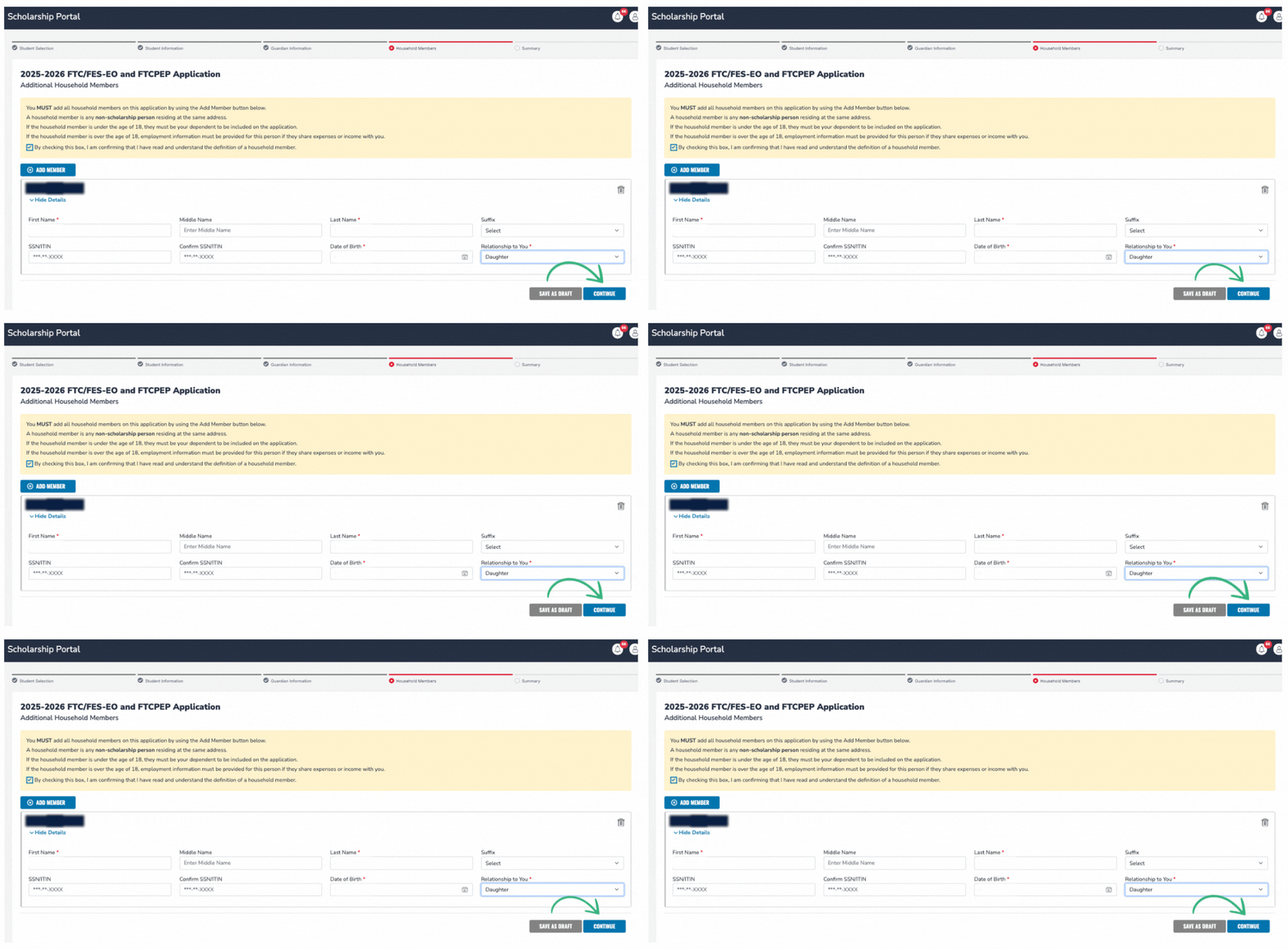
7️⃣ In the Household Members section, list everyone residing in your home (other children under 18 included).
8️⃣ Review your application carefully, enter your annual household income, agree to the terms, electronically sign, and click "submit".
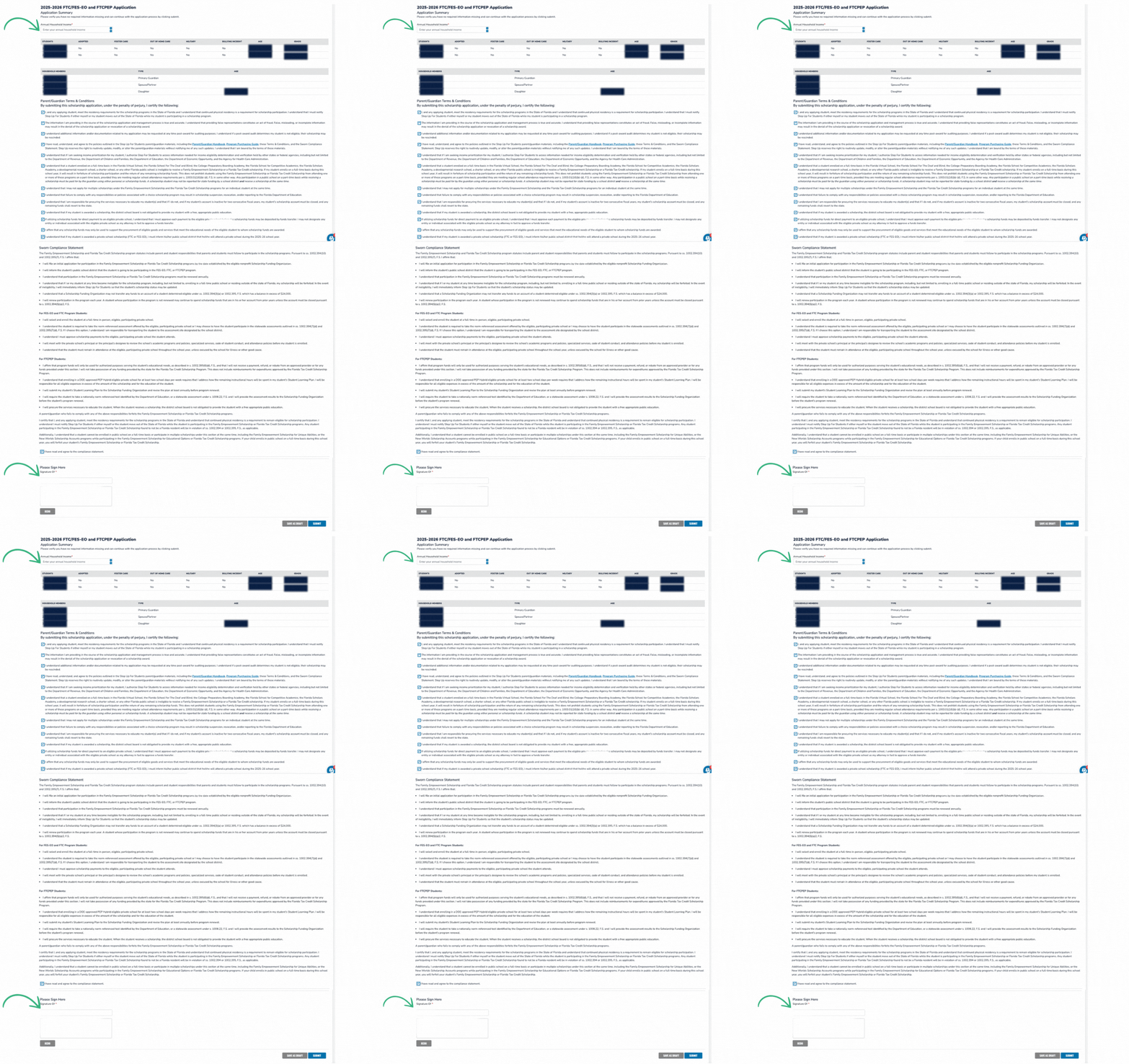
📌 What happens next?
-
After submission, your application status will show as “Pending” on your dashboard while it’s being processed.
-
During this stage, all applications display as FTC—this will update to FTC-PEP once awarded.
-
Processing takes approximately three weeks.
Additional Requirements for New Families
Heads up! After applying and accepting your scholarship award, you'll be asked by Step Up to complete one additional piece of information.
-
A Student Learning Plan
The Student Learning Plan is very simple and can be completed in just a few minutes, directly in the EMA platform.

Funding Timelines, Amounts, and Distribution
PEP Scholarship funds are distributed in these windows:
-
Quarter 1: August 15 – September 15
-
Quarter 2: November 15 – December 1
-
Quarter 3: January 15 – February 1
-
Quarter 4: April 15 – May 1
How do I access my funds?
-
PEP funds are managed in EMA, which acts as both a holding account and a purchasing portal.
-
You’ll use EMA to pay for educational services, including Prenda.
How much funding will my student receive?
-
The average scholarship amount for 2026-2027 is projected to be ~$8,000
-
Scholarship amounts depend on grade level and county.
-
The 2025-2026 amounts are available here, but updated figures for 2026-2027 won’t be available until after state budget approvals.
Enrolling a Child in a Prenda Microschool and Using PEP Funds
Once your PEP application is submitted, reach out to your chosen microschool guide and ask them to invite your child to their microschool if you haven’t already.
You must accept an invite to be enrolled in their microschool.
Note: If you are a parent using Prenda’s single-family microschool option to homeschool, you should add your child now to your Prenda World account.
Resource Page: https://help.prenda.com/knowledge/florida-personal-education-program-pep-funded-accounts

.png)


